
I do not use one AI coding tool for everything anymore. My current workflow is simple. Codex is my main builder, and Claude Code is my design specialist.
Codex keeps my main build loop connected from investigation through QA. Claude Code comes in when the interface needs a better eye for spacing, color balance, layout, and polish.
I do not approach this as a model ranking. I split the workflow by responsibility, then use each tool where it helps me most.
The mistake is using one model for every job
AI coding work is not one job. It is a chain of different jobs.
First there is thinking work. I need to understand the problem, research what matters, and decide whether the change makes sense. Then there is architecture work. I check where the change belongs, what should own the state, and what should not be touched. After that comes implementation and QA. The agent edits files, follows existing patterns, runs checks, inspects the UI, reviews diffs, and helps me decide whether the result is safe to call done.
Design is another job again. A feature can work and still feel unfinished. The layout can be correct, but the spacing can feel off. The colors can be valid, but the screen can lack taste. The component can be functional, but not polished enough for the product.
For me, the practical answer is not to make one model responsible for all of that. I get better results when I use each tool where it gives me the most value.
Why Codex became my main coding loop
I started by using Claude Code heavily. It is a strong tool, and I still respect it. But when OpenAI released the Codex app, the workflow changed for me.
GPT-5.5 was the model I was using when this workflow took shape. The lasting point is not that model version. It is the way the Codex app keeps investigation, decisions, implementation, and review connected.
What lasted was the app workflow. Codex gives me the feeling that knowledge work and coding work happen in the same place. I can ask questions, research, inspect the relevant files, review the architecture, discuss the UX, create a plan, and then continue into implementation without changing context.
The Codex app also fits the way I like to work. OpenAI’s best-practices guide explains how Plan mode can gather context and shape the work before implementation. Its Goals guide explains how a persistent objective can stay tied to a measurable outcome and evidence. The app also gives me the terminal, Git tools, worktrees, and task context I need around that loop.
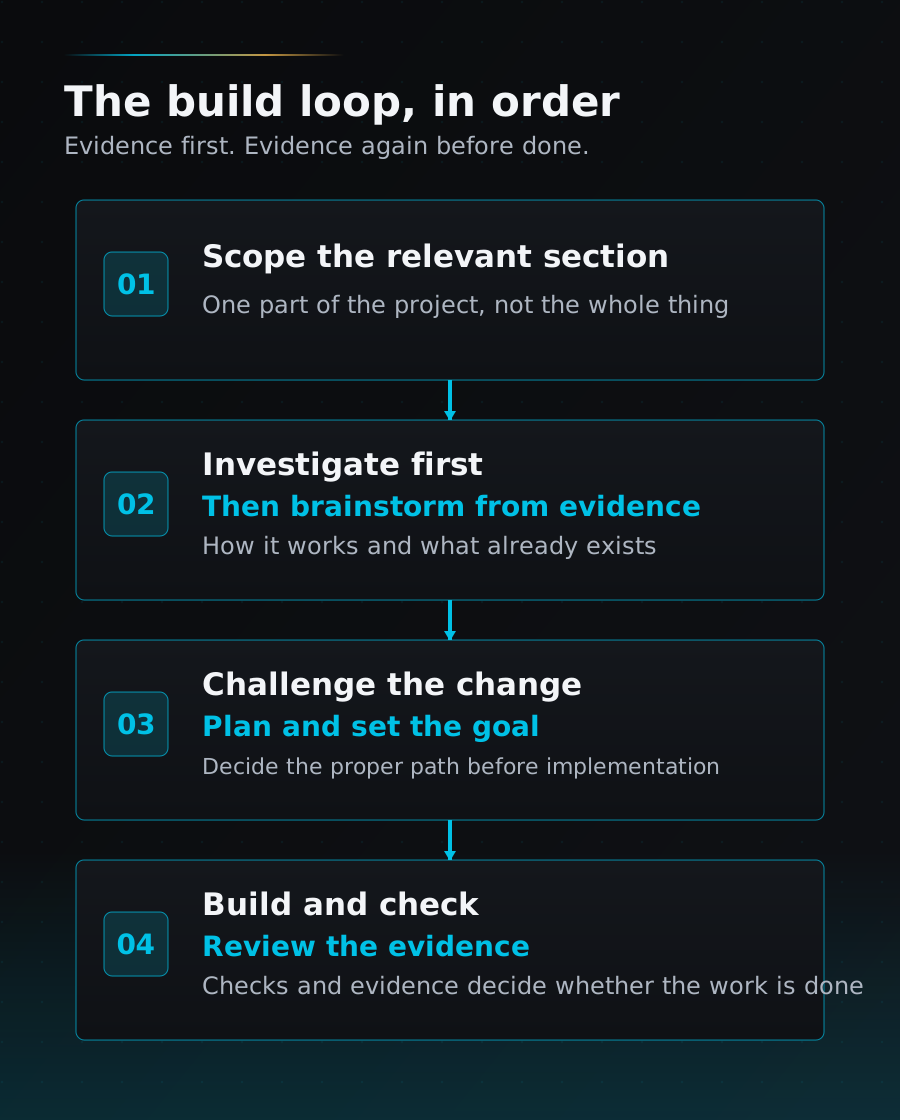
My preferred loop became this.
- Give Codex the section of the codebase or workflow I want to review.
- Ask Codex to investigate the relevant files, structure, route, tracker, or design system.
- Use that investigation as the basis for brainstorming.
- Challenge whether the change makes sense.
- Turn the decision into a plan.
- Set the goal.
- Let Codex build toward that goal.
- Review the evidence before calling the work done.
That loop matters more to me than a single impressive answer.
What I mean by knowledge work before coding
When I say “brainstorming,” I do not mean throwing ideas at a chatbot and asking for inspiration.
For me, the first step is usually a scoped investigation. I do not ask Codex to review the whole codebase. I point it to the part of the project that matters for the change. That might be a route, a page, a component group, a tracker row, a design-system file, or a workflow skill.
After that investigation, we brainstorm and challenge the change. We check whether it fits the architecture, whether the UX scales, whether important states are missing, and whether the answer should become a reusable rule or QA gate instead of a one-off fix.
That is why Codex works well for my workflow. I am not just asking it to write code. I am asking it to help me decide whether the code should be written in that way.
I do not choose AI tools by brand loyalty. I choose them by where they change the outcome.
Where Claude still helps me
Claude Code still has a strong place in my workflow.
I use Claude Code when the design needs stronger taste. In my experience, it is especially useful for spacing, color balance, layout polish, component refinement, and the general feeling of the interface.
I am careful with that statement. I am not saying every Claude Code output is automatically good. I am also not saying Codex cannot produce good UI. I am describing the role that works best in my own process.
The specialist surface I use is Claude Code. I give it the brief, relevant code context, screenshots, design-system references, and constraints, then ask it to focus on visual direction or critique. I still review the result against the real states and implementation constraints.
How the two-tool handoff works
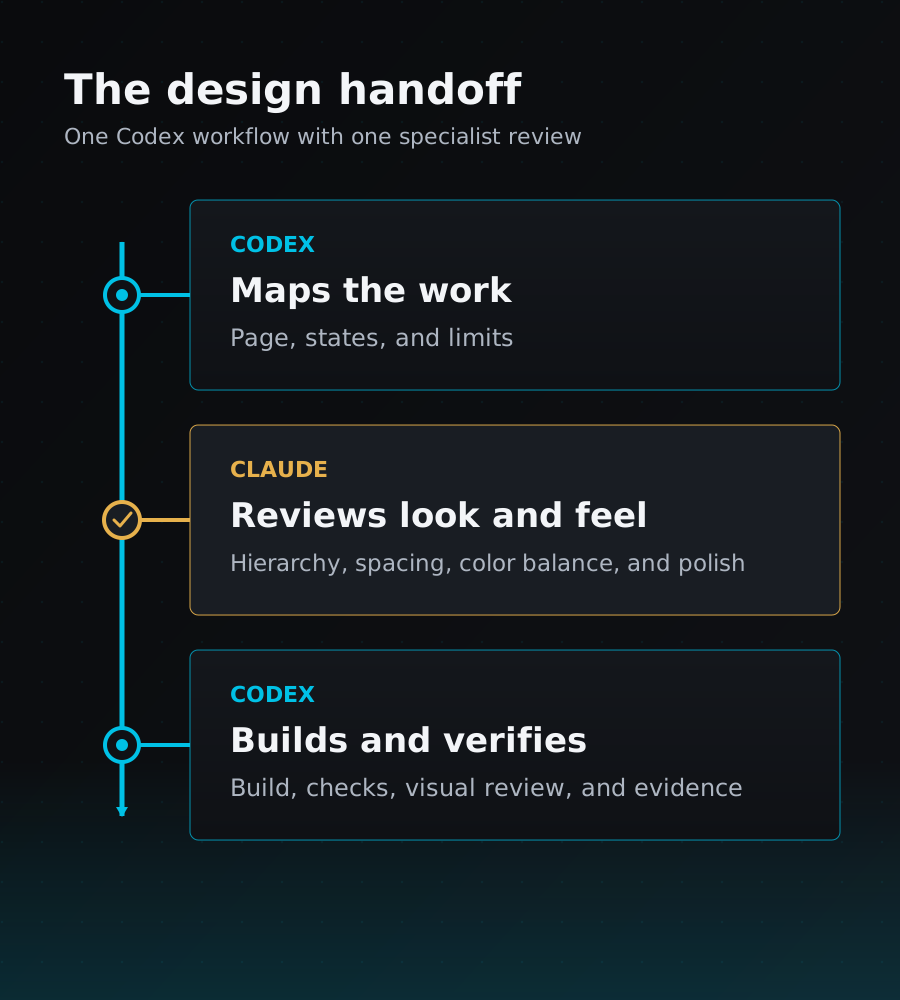
Codex first maps the route, page, components, states, design system, and tracker. It helps me decide what should happen and whether the evidence is strong enough to proceed.
If the page needs stronger design direction, Codex prepares a focused brief for Claude Code. The brief includes the target URL, route map, screenshots, design-system references, constraints, states, and the specific design question.
Claude Code focuses on the look and feel. Codex then brings the approved direction back into the codebase, implements it, runs checks, reviews the diff, performs visual QA, and updates the tracker only when the evidence supports it.
In this setup, Claude Code helps with taste, while Codex keeps the workflow connected.
How this works in my redesign workflow
A practical example is the LeadsWithDemos redesign workflow I built into a Codex skill.
The goal of that skill is not “make this page prettier.” The goal is to complete one URL surface properly. Codex maps the route, the Vue page, the linked components, dialogs, popups, loading states, empty states, error states, and mobile behavior. It checks the tracker and decides whether a route can honestly move from partial to done.
That same handoff is built into the skill and used only when a page needs a higher-quality visual pass.
One lesson from that workflow was that agents can still miss individual UI details. So instead of only fixing one page, I turned that weakness into a stricter process called an Element QA Matrix. Before something is called done, the visible elements and states need to be checked one by one.
That is exactly why I like Codex as the main builder. It does not only help me write code. It helps me turn repeated mistakes into reusable workflow rules.
Why I use premium Claude capacity selectively
Claude capacity is valuable, so I use it where I believe it can change the design outcome.
I do not need premium Claude capacity for every investigation, implementation step, or QA check. I bring it into the workflow when visual judgment matters enough to justify a specialist pass.
This is a capacity decision, not proof of a fixed total saving. For my work, Codex gives me the main loop and Claude Code gives me a selective design pass. Using both in those roles is more useful than making one tool do everything.
The tradeoff
This workflow is not automatic.
If Codex builds without enough taste, the UI can feel too plain. If Claude Code works without enough constraints, the result can become generic or hard to implement. If either tool works without QA, the page can look finished while missing important states.
That is why the human part still matters. I need to define the goal. I need to decide when design taste matters enough to bring Claude in. I need to approve the plan. I need to review the final evidence.
The tools are powerful, but the workflow is the product.
My practical rule
My rule is simple.
Codex owns the build loop. Claude Code strengthens the design layer.
I use Codex when I need continuity across knowledge work, codebase investigation, planning, goals, implementation, terminal checks, Git review, QA, and progress tracking. I use Claude Code when the page works but the design needs better taste.
That split gives me more control and keeps premium Claude capacity focused on the work where I value it most.
I am not trying to be loyal to one AI tool. I am trying to build a workflow where each tool does the job it is best at.